



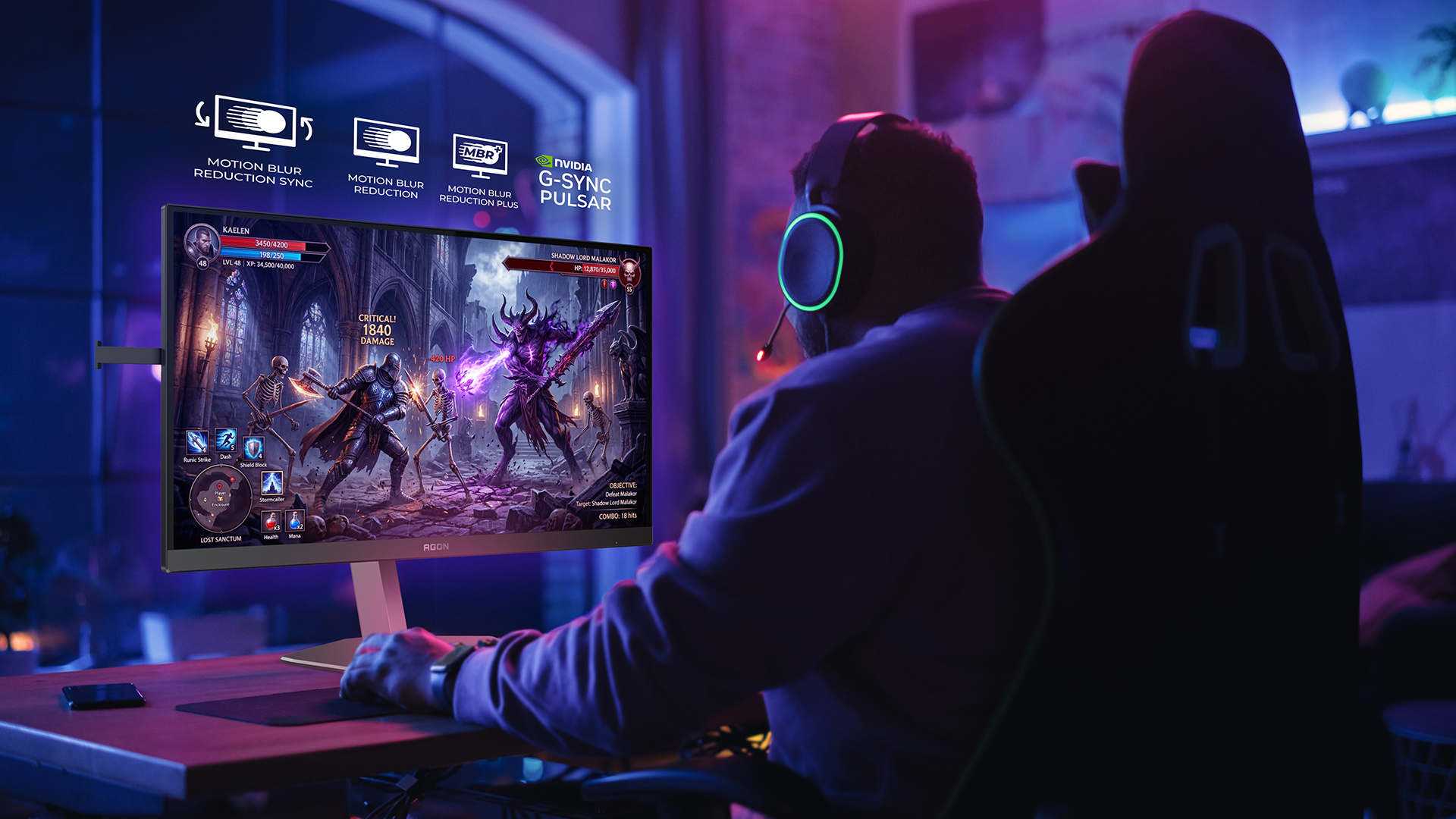
The latest gaming monitors tend to exceed 500 Hz refresh rates, so proper screen illumination technology has become important for gamers who want their screen movements to look as sharp and clear as possible.
In this article, we’ll explain what MBR (Motion Blur Reduction) is and what types of MBR exist. We will be assisted by AGON by AOC, a brand of gaming monitors, who will explain how these technologies work, when to use them and how they compare to other available solutions. This will be useful when choosing your next gaming monitor.
MBR
MBR (Motion Blur Reduction) is the core technology behind most of today’s motion blur reduction solutions. The principle is simple: the backlight on the screen flickers on and off rapidly in synchronisation with the refresh cycles of the image. This reduces the so-called sample-and-hold effect, which is a typical drawback of LCD screens.
The result is immediately noticeable – moving objects appear sharper and clearer on screen, which is especially noticeable in fast-action computer games such as FPS. Motion quality becomes closer to the old CRT monitors that many gamers still consider the benchmark for sharp motion.
However, the MBR is not without its drawbacks. With the lights off part of the time, the screen becomes noticeably darker and some users may experience an unpleasant flickering sensation. In addition, this technology is generally not compatible with variable refresh rate features such as G-Sync or FreeSync, so the user must choose one or the other.
On AOC monitors, the MBR intensity can be set from 1 to 20. A lower setting will give more brightness; a higher setting will give sharper motion clarity. Most users prefer a setting between 10 and 14. MBR technology is available on AOC GAMING G4 series models such as the 27G42E (Full HD, 180 Hz).
MBR Sync
MBR Sync is the next step in the evolution of MBR technology, which attempts to address one of the biggest shortcomings of the previous generation. Conventional MBR and variable refresh rates (VRR, such as G-Sync or FreeSync) simply don’t work together – they conflict. MBR Sync solves this problem by synchronising the backlight flicker with the variable refresh rate and dynamically adjusting the flicker time depending on how many frames are displayed each second.
In practice, this means that the player is no longer forced to choose between sharp movements and a smooth image. MBR Sync delivers both at the same time – less motion blur and an image without the so-called screen-tearing effect. This is a practical real-life solution for gamers who experience the frame rate fluctuations that are typical of FPS games.
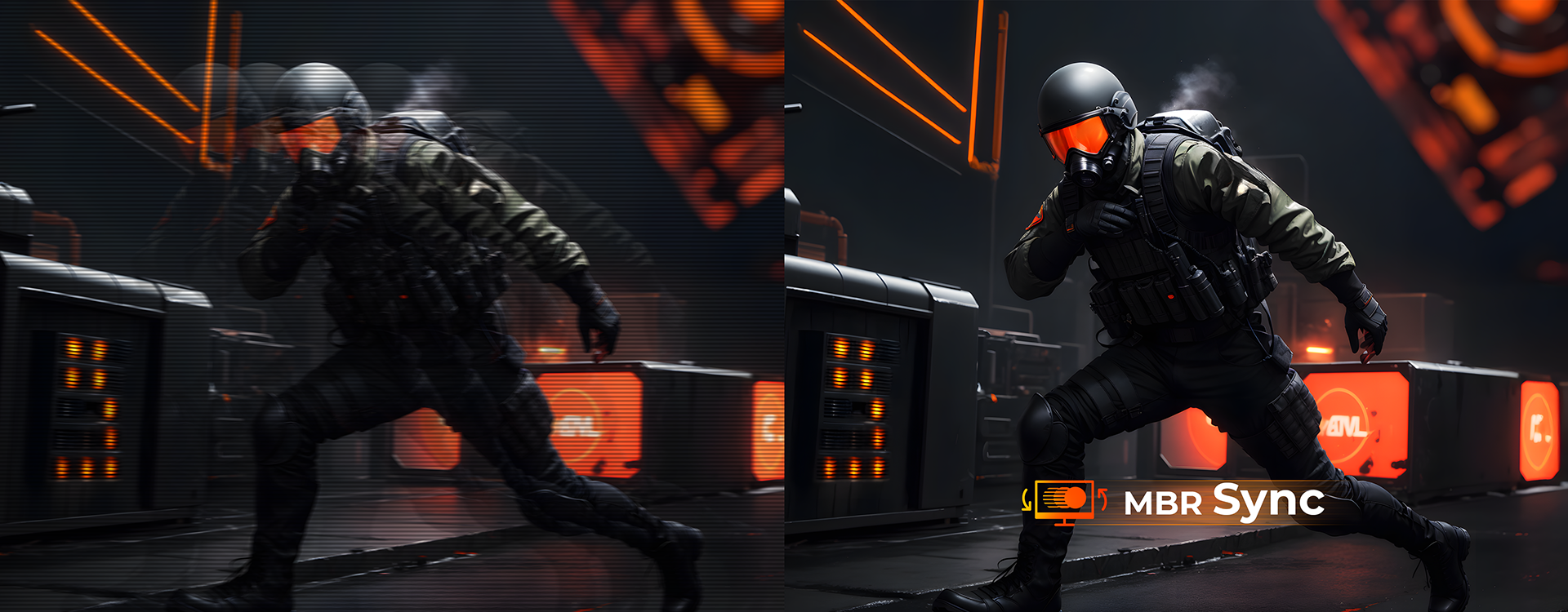
However, the practical implementation of such technology is complex and has not yet been fully solved by any manufacturer. Inaccurate synchronisation can cause visual artefacts, such as the so-called crosstalk effect, where a faint double image appears on the screen, or uneven brightness in different parts of the screen. Therefore, when choosing a monitor with MBR Sync, it is worth reading independent reviews on the performance of the specific model.
MBR Sync technology is available on the latest AOC GAMING models with refresh rates from 160 Hz up to 400 Hz, for example, 25G4KUR (400 Hz, Full HD).
MBR+: clarity for the next generation of movements
The latest AGON PRO models AG246FK6 and CS24A – both 24-inch monitors with FHD resolution and impressive 610 Hz – offer MBR+ technology, a significant leap forward from all of the above. Dual tubes, 20 independent LED groups and 0.3ms MPRT all combine to deliver motion clarity that LCD monitors simply couldn’t match before.
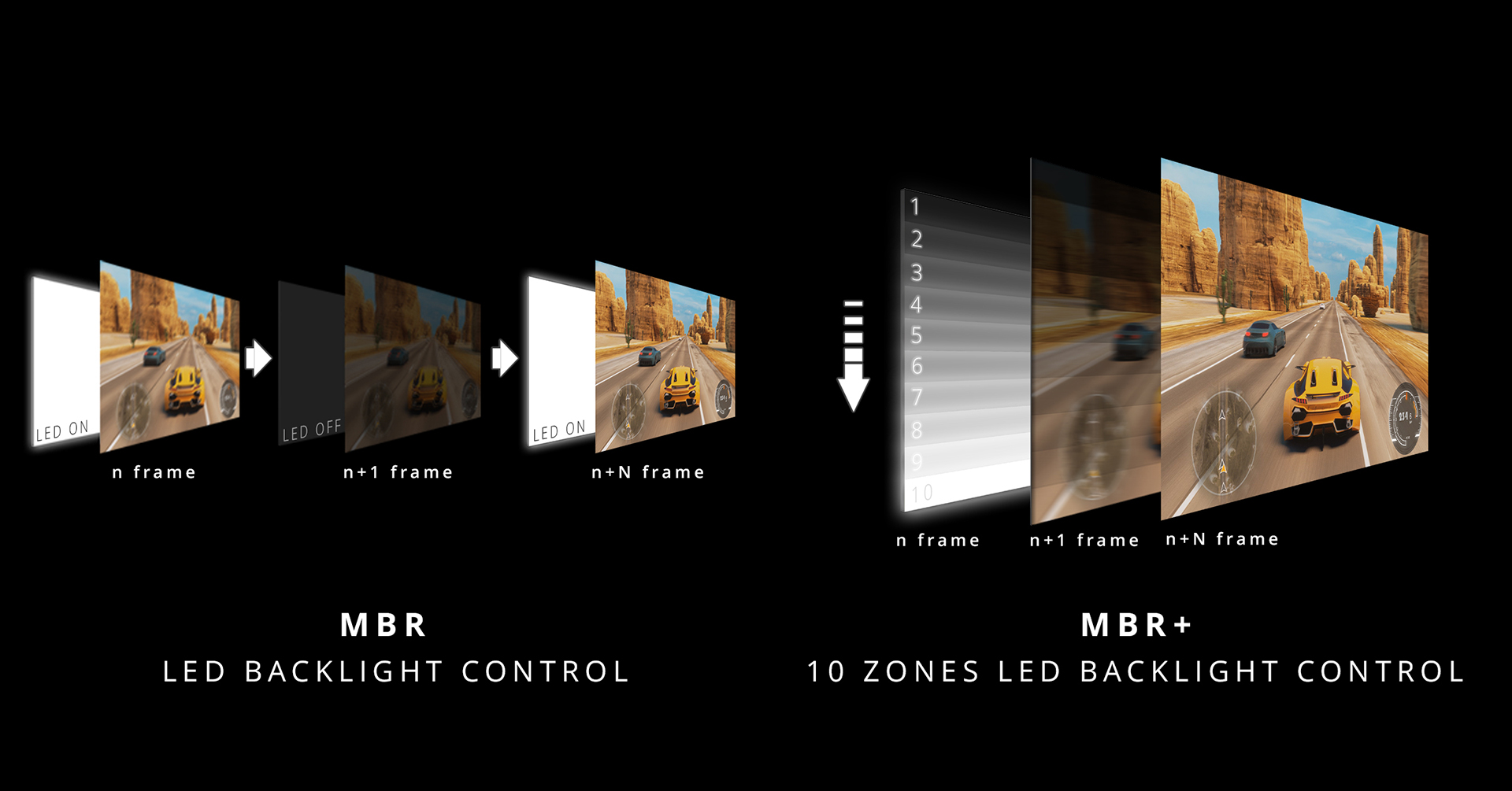
Unlike traditional MBR, which illuminates the entire background of the screen at once, MBR+ scans the panel region by region, synchronising the lighting of each area precisely and evenly from top to bottom. The result is dramatically reduced lighting unevenness and a brilliantly sharp image across the entire screen. To get such a monitor, however, you will need to part with around €700.
How does MBR+ compare to NVIDIA G-SYNC Pulsar?
If you have a gaming PC with a powerful GeForce RTX video card like the RTX 5080, AOC also offers a model like the AG276QSG2 – a 27-inch 1440p monitor with 360Hz and NVIDIA G-SYNC Pulsar technology. Note that Pulsar technology requires support from both the monitor and the GeForce video card.
This technology uses a similar regional approach as MBR+, but adds an adaptive Overdrive function that dynamically adapts to both the region and the refresh rate. This makes Pulsar the most advanced solution to date that combines variable refresh rates with outstanding motion clarity without the need to switch between modes. Find out more about G-SYNC Pulsar technology in the video below.
Which technology to choose?
The answer depends a lot on what and how you play. As an AGON by AOC representative explains, if you play fast e-sports PC games with consistently high frame rates, an MBR or MBR+ with a fixed refresh rate will give excellent results. If the frame rate fluctuates and you want a smooth image without screen-tearing effects, MBR Sync is the best choice. And for those who want to get everything at once – maximum motion clarity combined with adaptive synchronisation – the AG276QSG2 with Pulsar technology is currently the best solution available on the market (currently not yet in stock at TopPC.fi, but we expect it soon).
All in all, AGON by AOC offers great monitors for every budget, and exactly which monitor you choose depends on your intended application and how serious a gamer you are. We invite you to buy a wide range of AOC monitors at TopPC.fi online shop!